You might also be interested in:
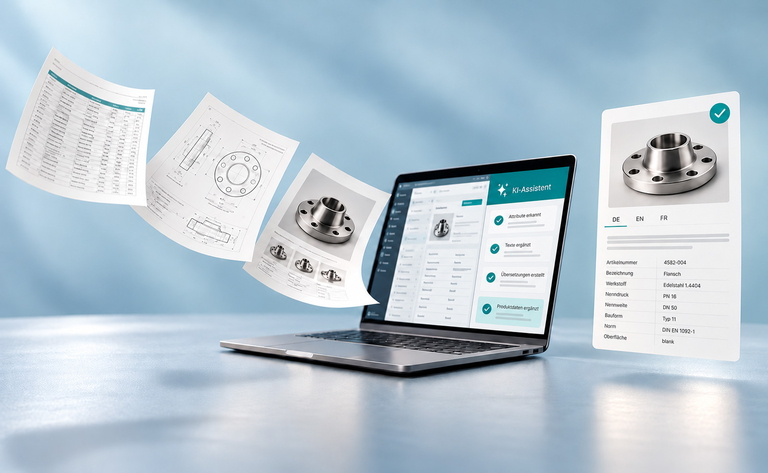
How AI and a PIM System Boost Product Data Management
AI and a PIM system speed up product data management wherever a lot of repetitive manual work piles up today, namely when importing supplier data, writing product copy and translations, and checking data quality. However, AI only works reliably together with a PIM system, because that is where its results are reviewed, approved and published to all channels.
Contents:
- Product data management grows with every supplier, channel and market
- AI needs a central data foundation, the PIM system needs speed
- Supplier onboarding is where AI saves the most manual work
- AI assistants need structured product data
- Data model and responsibilities come before AI
- AI in a PIM system pays off once the data model is in place
- Frequently asked questions about AI and PIM systems
Product data management grows with every supplier, channel and market
At many manufacturers and retailers, new items arrive as an Excel list straight from the supplier, often with PDF data sheets attached. Someone on the product data team transfers the values, assigns each item to a category and writes copy for the online shop, the marketplace and the catalog. As soon as another country is added, the texts go out for translation and come back by email. This eats up time, is cumbersome and prone to errors.
A PIM system brings order to this work, because all product data is kept in one single place. However, the team often still has to reconcile values or write product descriptions themselves. AI tools promise speed for exactly these tasks. Yet if a company uses only one of the two, it quickly becomes clear where things get stuck.
AI needs a central data foundation, the PIM system needs speed
Each approach brings benefits on its own, but only together do they really take the load off product data management.
| Approach | What it delivers | The limits |
|---|---|---|
| PIM system alone | central data storage, a uniform data model, approval workflows, distribution to all channels | Enrichment, copywriting, translations and importing supplier data remain manual work. With large product ranges, maintenance becomes a bottleneck. |
| AI alone, such as text generators or tools that enrich data in the feed | fast copy, translations, extracting values from documents | The data is scattered across Excel, ERP and the online shop. Results don't flow back in an orderly way, and nobody approves them in a traceable manner. Errors arise separately in every channel. |
| PIM system and AI together | The AI works with the central data in the PIM. Whatever it generates lands there as a suggestion, goes through approval and is sent consistently to all channels. | The data model, responsibilities and quality rules must be clarified beforehand. |
A text generator without a PIM therefore saves less time than it first appears, because someone still has to transfer its results into every system by hand and keep them up to date there.
There are four reasons why the combination is the key.
- Context: From the PIM, the AI knows the data model, the mandatory attributes for each product class, the glossary and the tone-of-voice guidelines. That is why its suggestions fit the structure from the start.
- Feedback loop: Whatever the AI generates ends up as an attribute value or text in the right place in the PIM, not in yet another Excel file.
- Control: Roles and workflows in the PIM ensure that a person reviews every AI suggestion before approving it.
- Maintain once, use everywhere: An approved change goes from the PIM to the online shop, marketplaces, catalogs and also to AI assistants that compare products.
Supplier onboarding is where AI saves the most manual work
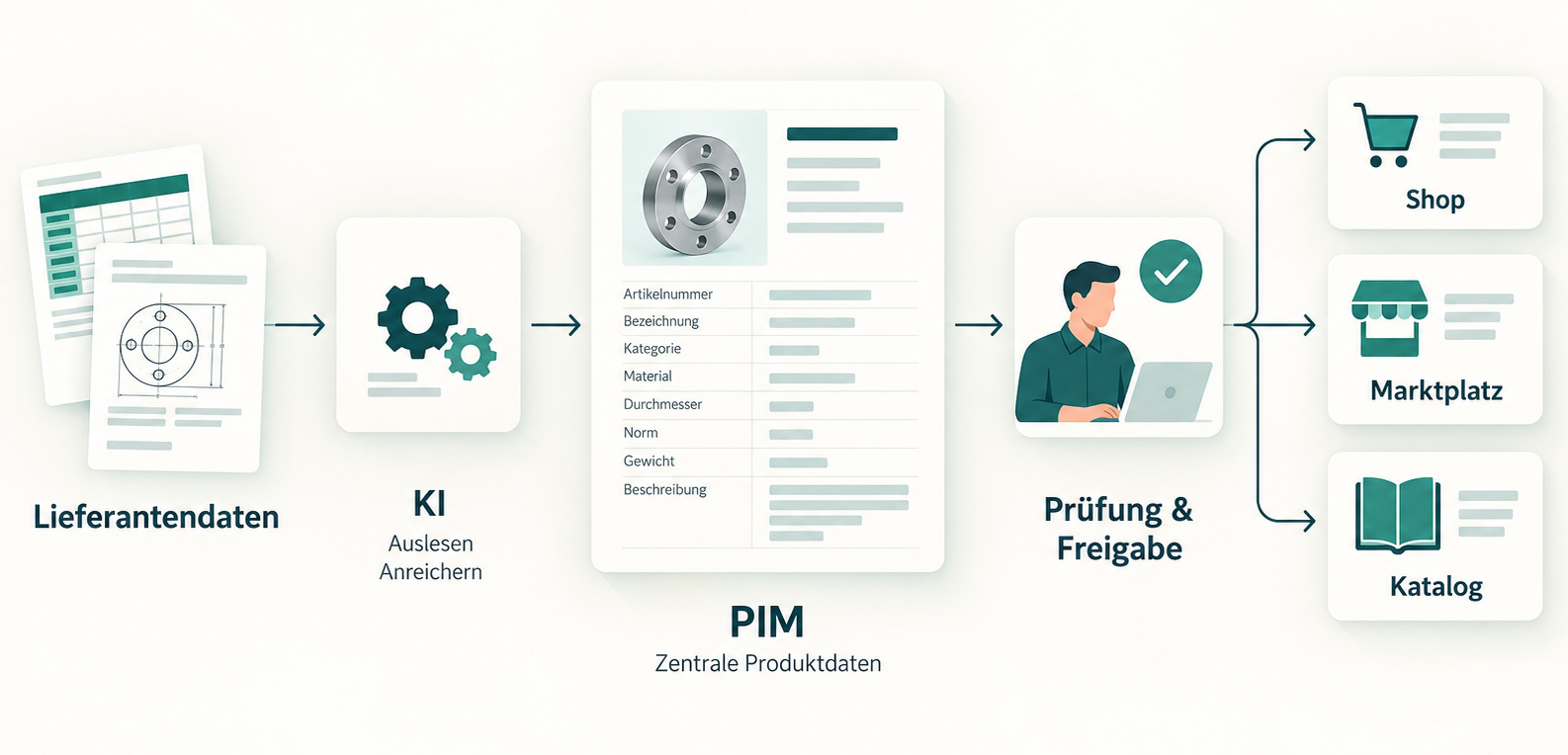
In many companies, onboarding new items takes the most time, meaning the path from the supplier list to a complete data record in the PIM. AI can take over two of these steps. It extracts values from data sheets and Excel lists and maps them to the attributes in the PIM. It also suggests which product class an item belongs to, for example according to the ETIM or ECLASS classification standards that many industries use for technical products.
Suppose a manufacturer receives 2,000 new items as an Excel list with PDF data sheets. The AI extracts the attributes, suggests a class for each item and creates draft texts in German and English. The product data team no longer types anything in. Instead, it only reviews the cases where the AI is uncertain or values don't match, and approves the rest.
Can AI extract product data from PDF data sheets?
Yes, provided the data sheets contain text and the PIM defines which attributes an item must have. The AI then recognizes, for example, that “Ø 40 mm” belongs in the diameter field and that “V2A” is a value for the material.
Product copy and translations are generated from the attributes in the PIM
Once the attributes are fully stored in the PIM, the AI can use them to create drafts for product descriptions, titles and bullet points, tailored to each channel. For the online shop that means a detailed description, for the marketplace a bullet list in the required length, and for the catalog a short text. This helps above all with items that previously had no text at all because the manual effort wasn't worth it.
For translations, the AI works with the glossary from the PIM. If the glossary specifies that a technical term is always translated the same way into French, the AI sticks to it. New markets can be supplied with data faster this way, and the experts in each country only review the texts instead of requesting each one individually.
AI checks data quality before errors reach the online shop
Before an item goes out to the various channels, the AI can check it against the quality rules in the PIM. It finds empty mandatory attributes, contradictory values and outliers such as a screw weighing 400 kilograms, as well as duplicate items. The rules for this are stored in the PIM, for example which attributes are mandatory for each product class. The AI applies them to many items at once and reports anything that stands out. A person still has to decide what gets corrected, but searching for errors no longer takes hours. This also takes the load off the teams in the various departments.
AI assistants need structured product data
Anyone looking for the right product today also asks ChatGPT, Gemini or Copilot. These AI assistants search for and compare products, although in Germany the purchase still happens in the vendor's online shop. To compare products they need structured attributes, because they can only extract dimensions or compatibility from running text unreliably.
This turns the PIM system into a source for both people and machines. The information this requires and where it originates is described in the article “Which product data AI agents need”.
Data model and responsibilities come before AI
AI amplifies whatever is built into the data model, including its flaws. If a mandatory attribute is missing, the AI generates a thousand texts without that information. If values are maintained inconsistently, it carries that inconsistency into every channel. That is why three questions need answers before any technology comes in.
- Who is responsible for which attributes
- Who approves AI suggestions
- Which system is the leading source for which information
In addition, each use case requires something that must be settled in the PIM first.
| Use case | What needs to be clarified first |
|---|---|
| Extracting attributes from data sheets | a clean attribute model with mandatory fields for each product class |
| Suggesting a class | a defined classification standard, such as ETIM or ECLASS |
| Writing product copy | tone-of-voice guidelines and an approval workflow |
| Translating | a glossary with fixed translations for technical terms |
| Checking data quality | quality rules stored in the PIM |
Getting started works best with a clearly defined use case. First, product data belongs centrally in a PIM system, with a data model that all departments involved have agreed on. Next, you need structured processes, workflows and quality gates. Only then does the use of AI begin, with a single, clearly defined use case. Supplier onboarding is a good place to start, because that is where most of the manual work lies and the difference shows with the very first deliveries.
Human approval is part of the process from the start, because the team only trusts the AI's suggestions once it has reviewed them for a while, and because errors would otherwise flow into the channels unchecked. It is far less helpful to introduce AI for every task at once while the data model is still open. That produces lots of texts and values that later need extensive correction.
Practical tip: For one week, the product data team notes which specific tasks still require manual work or research, and how long each one takes. The task with the highest effort is usually the best first use case for AI.
AI in a PIM system pays off once the data model is in place
A PIM system ensures that all product data is stored in one place and maintained according to fixed rules. AI speeds up work on exactly this data, above all when importing supplier data, writing product copy and translations, and checking quality. To keep the AI from multiplying errors, the data model, responsibilities and quality rules should be clarified beforehand.
Anja Barz (PIM Consultant) and Daniela Baron (Head of PIM & Digital Strategy) will show what this looks like in everyday work on November 10, 2026 in the free live webinar “PIM + AI: How to scale product data without growing your team”. Using Perfion PIM as an example, they walk step by step through the journey from scattered supplier data to finished content for every channel.


