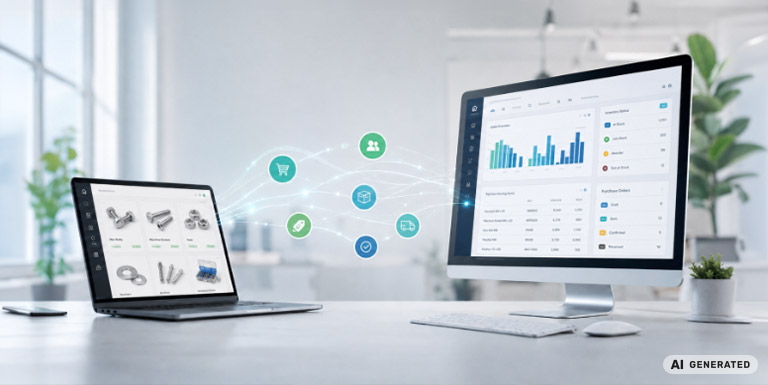
At first glance, many e-commerce processes appear to be automated and digital. Behind the scenes, however, they often still involve a surprising amount of manual work. Orders are placed in the online shop, exported, reviewed, transferred to the ERP system, checked against inventory levels, and forwarded to shipping or accounting. Status information then often has to be updated manually in the shop.
As long as order volumes remain manageable, these processes can often be handled using workarounds. But as additional sales channels, customer groups, product variants, warehouse locations, or B2B requirements are added, coordination becomes increasingly complex. At the same time, the risk of errors, delays, and duplicate data maintenance increases.
A BigCommerce Dynamics 365 integration connects the online shop directly with the ERP system. Orders as well as customer, product, pricing, and inventory data can be exchanged automatically between the two systems. BigCommerce provides a flexible platform and an extensive app and integration ecosystem that supports integrations with both Dynamics 365 Business Central and Dynamics 365 Finance & Supply Chain Management.
For mid-sized companies, however, this is about more than simply creating a technical interface. What matters is that the entire process chain, from the shopping cart through to order processing, works reliably and remains stable as order volumes grow.
Why manual order entry becomes a problem in e-commerce
Manual order entry is rarely introduced intentionally. More often, it develops gradually as the business grows. An online shop is introduced while an ERP system is already in place, and individual teams start relying on CSV exports, emails, or spreadsheets as interim solutions. At first, this may be pragmatic. Over time, however, it becomes a burden.
Typical problems include:
- Orders are created in the ERP system with delays.
- Inventory levels in the shop are not up to date.
- Customer data is maintained in multiple systems.
- Prices and discounts differ between the shop and the ERP system.
- Shipping status or invoice information is not automatically sent back to the shop.
- Employees spend time troubleshooting errors instead of managing processes.
This can quickly become critical in B2B commerce. Orders are often more complex than in a traditional B2C shop: customer-specific pricing, payment terms, delivery addresses, approval processes, partial deliveries, and individual product assortments all need to be processed correctly. BigCommerce therefore considers ERP integration an important factor in improving scalability and streamlining processes in B2B commerce.
What a BigCommerce Dynamics 365 integration can do
A BigCommerce Dynamics 365 integration enables BigCommerce and Dynamics 365 to automatically exchange defined sets of data. Exactly which data is synchronized depends on the business model, the Dynamics 365 solution in use, and the existing system landscape.
In practice, integrations often cover the following data flows:
Orders from the shop to the ERP system
New shop orders are created as sales orders in Dynamics 365. For Dynamics 365 Business Central, for example, Microsoft provides API resources for sales orders, including functionality for creating sales orders via API.
Customer data and addresses
Customer accounts, billing addresses, shipping addresses, and contact information can be synchronized between the shop and the ERP system. A clear definition of which system acts as the leading system for each type of data is essential.
Product and item data
Item numbers, variants, availability, prices, and basic technical data can be transferred from Dynamics 365 to BigCommerce. For more extensive product information, an additional PIM system may be useful, as marketing copy, media assets, technical attributes, and channel-specific content are not always best maintained within the ERP system.
Category structures
Without an integration, category structures often have to be maintained separately in both the ERP system and the online shop. As the product range grows or changes, the two systems can quickly become inconsistent. Synchronization automatically transfers structural changes to the shop and assigns new or relocated items to the correct categories. This reduces duplicate work and keeps the shop structure aligned with the product range maintained in the ERP system.
Inventory and availability
Without an integration, inventory levels are often updated only at fixed intervals, meaning that the shop may temporarily display incorrect quantities. BigCommerce identifies a lack of inventory visibility as one of the major challenges in omnichannel inventory management. An integration synchronizes inventory data from Dynamics 365 with BigCommerce, including inventory across multiple warehouse locations. This reduces the risk of overselling and helps prevent customer enquiries caused by inaccurate availability information.
Shipping and status information
Once an order has been processed in the ERP system, status updates, tracking information, and shipping notifications can be sent back to BigCommerce. This gives customers greater transparency while reducing the amount of manual follow-up required from customer service teams.
Multi-channel commerce
Companies operating multiple online shops or sales channels often maintain product data separately and have to enter changes multiple times. With an integration, centrally maintained product data from Dynamics 365 can be distributed to several online shops at the same time. Changes made in one place are therefore reflected across all connected channels. This keeps information consistent and allows multiple channels to be managed from a shared data source.
Customer portal functionality
In B2B e-commerce, orders are not placed exclusively through the online shop. They may also arrive by phone, email, or EDI, which means customers can often see only part of their order history online. Through the integration, BigCommerce can serve as a central customer portal that provides access to orders from different sales channels as well as the corresponding documents from Dynamics 365. This reduces customer service enquiries and gives customers a complete overview of their order and document data.