


Less service effort, strong product data and enthusiastic B2B and B2C customers.
PIM
Dynamics 365
E-Commerce

Bring your product information together in one place, make your data verifiable and deliver it in a controlled way to your shop, marketplaces, catalogs, data feeds and dealer portals.
PIM stands for product information management. A PIM system collects everything that describes a product in one place, including texts, technical attributes, images, documents and translations. Your shop, marketplaces and catalog all draw on this verified data.
Master data comes from the ERP, for example from MS Dynamics 365. In the PIM, your team adds what sales and marketing need, checks the data and approves it. It is then published to every channel in the right format.
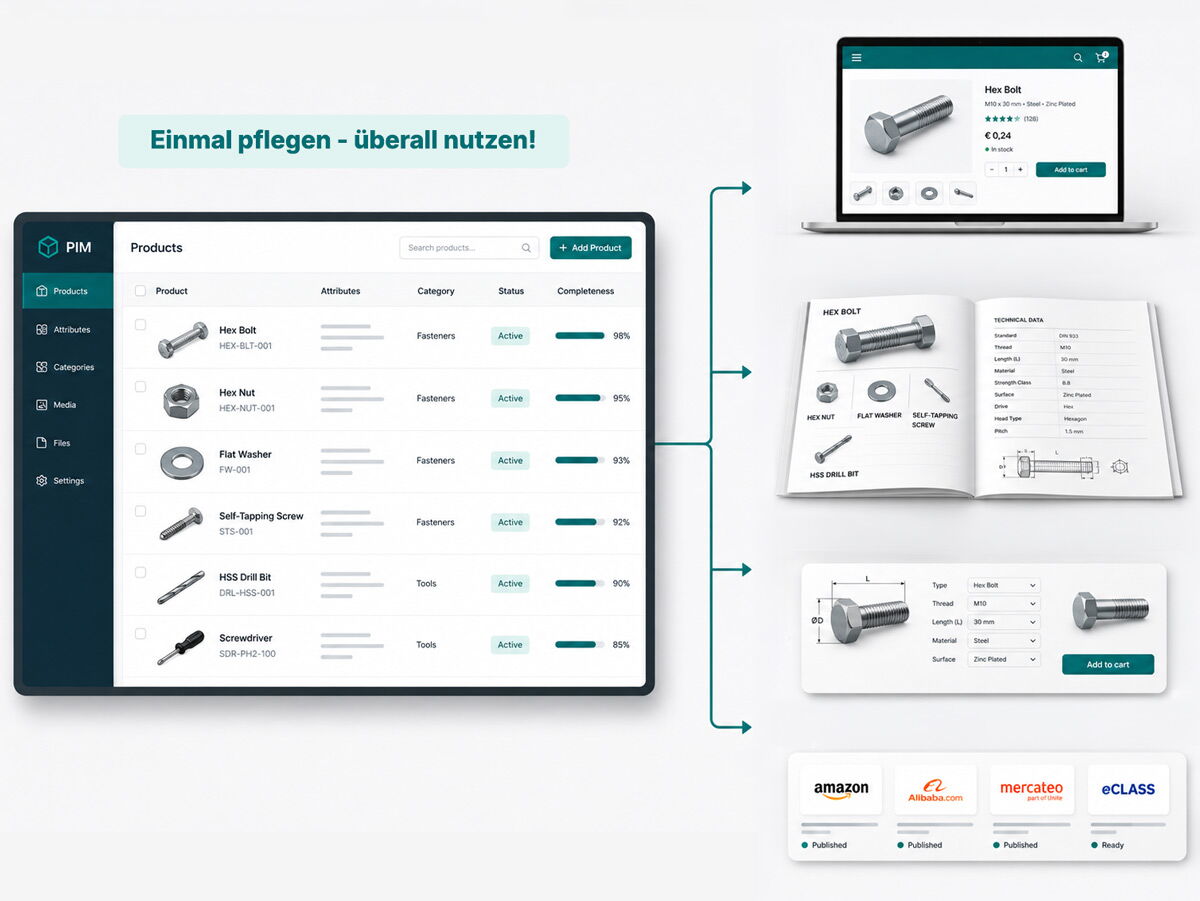
A PIM system does not replace your ERP. Before we build the interface, we define together which system owns which field. After that, purchasing creates an item in the ERP, and it automatically appears in the PIM for enrichment.

Shared information is maintained once and inherited by variants, while accessories and spare parts are cleanly linked.
Print catalogs and data sheets are generated from the PIM via database publishing, for example with EasyCatalog and Adobe InDesign.
Roles and approval workflows determine who maintains which data and who approves it.

“[…] the API, which enables real-time data exchange between the systems with our ERP system Microsoft Dynamics NAV 2013. The NAV integration is a huge advantage here, because users don’t have to switch between systems.”



Less service effort, strong product data and enthusiastic B2B and B2C customers.


Automated workflows and reliable management of more than 25,000 product variants and components.
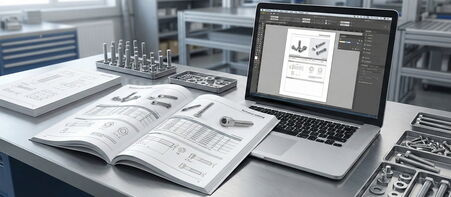
A lean publishing architecture connects PIM, EasyCatalog and InDesign in one automated process.
ESYON combines PIM consulting with experience in ERP, e-commerce, interfaces and operations. In a conversation, Daniela Baron and Anja Barz will assess which systems are affected and how best to get your PIM project started.


An ERP system controls commercial and operational processes such as purchasing, inventory, pricing, orders and accounting. A PIM system manages product-related content such as descriptions, attributes, media, documents, variants and translations. Together, both systems ensure stable processes and consistent product communication.
A PIM pays off when you have to maintain many products, variants, channels or languages. At the latest when teams spend a lot of time on coordination, data corrections, Excel lists or copy and paste, it is worth looking into a PIM.
As a rule, the PIM holds product information that is relevant to customers, sales and output channels. This includes texts, attributes, media, documents, classifications, translations, variant information and approval status. Process data such as stock levels, invoices or bookings stays in the ERP.
Yes. A PIM can map variants, product hierarchies, sets, accessory relationships and technical attributes in a structured way. This keeps even complex product ranges easier to manage in your shop, data feeds and catalogs.
A standalone PIM such as Perfion can be integrated into existing system landscapes. DynamicWeb combines PIM, e-commerce, CMS and marketing in one platform. Which solution fits depends on your existing systems and planned channels.